
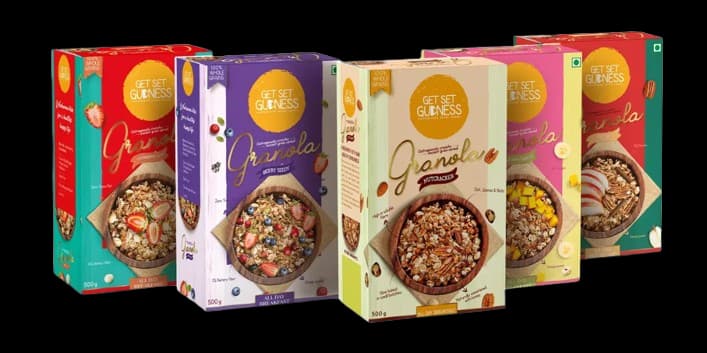
Solve the practical packaging needs first
Packaging has two jobs: protect the product and communicate what it is. Start with the product dimensions, weight, fragility and how it will be stored or delivered. A box that looks attractive but allows the product to move around can create avoidable damage and customer frustration.
Consider the complete journey from packing to delivery. If items are stacked, shipped or handled several times, the material and construction need to suit those conditions. The best format is the one that protects the product without adding unnecessary complexity.
Make the brand easy to recognize
Use the packaging to repeat the visual cues customers already know: logo, brand colours, typography and tone of voice. Consistency across the box, label and other printed materials helps customers recognize the business whether they find the product on a shelf or receive it at home.
A strong design does not need to fill every surface. A clear logo, a well-chosen colour and one useful message can make a package feel considered while leaving enough space for product information.
Organize product information clearly
Decide which information customers need before they open the package and which details belong on a label or insert. Keep essential text readable and group related information together. Avoid placing small type over a busy photograph or decorative pattern.
For regulated or technical products, verify required wording with the appropriate subject-matter or compliance professional. A printer can help with layout and production, but the business remains responsible for the accuracy and approval of its product information.
Prepare print artwork with the dieline
Packaging artwork is laid out across a flat template called a dieline. It shows folds, cut edges, glue areas and the panels that will form the finished package. Place the design on the correct template and keep important text away from folds, cuts and glue zones.
Use suitable image resolution and confirm colour, bleed and file requirements with the printer. A physical mock-up or proof can reveal issues that are difficult to spot on a flat screen, such as a logo hidden by a fold or a panel that reads in the wrong direction.
Choose materials and quantities deliberately
Paperboard, corrugated board and other packaging materials serve different products and handling needs. Material choice affects strength, appearance, print quality and cost. Compare samples when possible and test the package with the actual product before approving a large run.
For a new product, a smaller initial run can help confirm the fit and artwork before you commit to more stock. As demand grows, consistent specifications make repeat orders easier to manage and keep the customer experience recognizable.
A good package is useful after delivery
Packaging can support a memorable unboxing, but its most important qualities are often simple: it arrives intact, is easy to open and gives the customer the information they need. Design choices should serve those practical outcomes as well as the brand.
Share the product, dimensions, handling needs, quantity and budget with your packaging printer. Those details make it easier to compare suitable formats and prepare artwork that works in production.